
general
Best Digital Marketing Tools 2026: The 18 I Open Every Day, in the Order I Use Them

Article written by
Vismaya
14 min
2026-05-14

I counted the tools in the articles ranking for this keyword right now. Zapier lists 20+. Buffer lists 28. Marketer Milk lists 30. One site lists 50.
You don't need 50 tools. You need to know which tool to open at which moment in your workflow — and what to look for when you open it. That's what none of those lists tell you.
This post is organized differently. Not by category (SEO tools, social tools, email tools — every list does that). By workflow stage. When I sit down at 9 AM, what opens first? When I'm planning next month's content, what do I use? When a client asks "is this working?" — what do I pull up?
18 tools. In the order I actually reach for them. With screenshots showing what a real decision looks like inside each one.
PART 1: THE MORNING — What's Open Before My First Coffee Gets Cold
These three tabs never close. They're pinned. They're where the day starts.
Google Search Console — Free
Every morning. Before email. Before Slack. Before anything.
.png?prefix=media)
Three signals in under 5 minutes. Those signals decide my entire day's priorities. No paid tool gives me this — because this is first-party data directly from Google, not an estimate from a third-party crawler.
If you're a digital marketer and Search Console isn't your homepage, change that today.
Ahrefs — Free tier available, paid for deep work
Second tab. Keyword research, competitive analysis, and the question that shapes every piece of content I create: is this keyword worth going after?
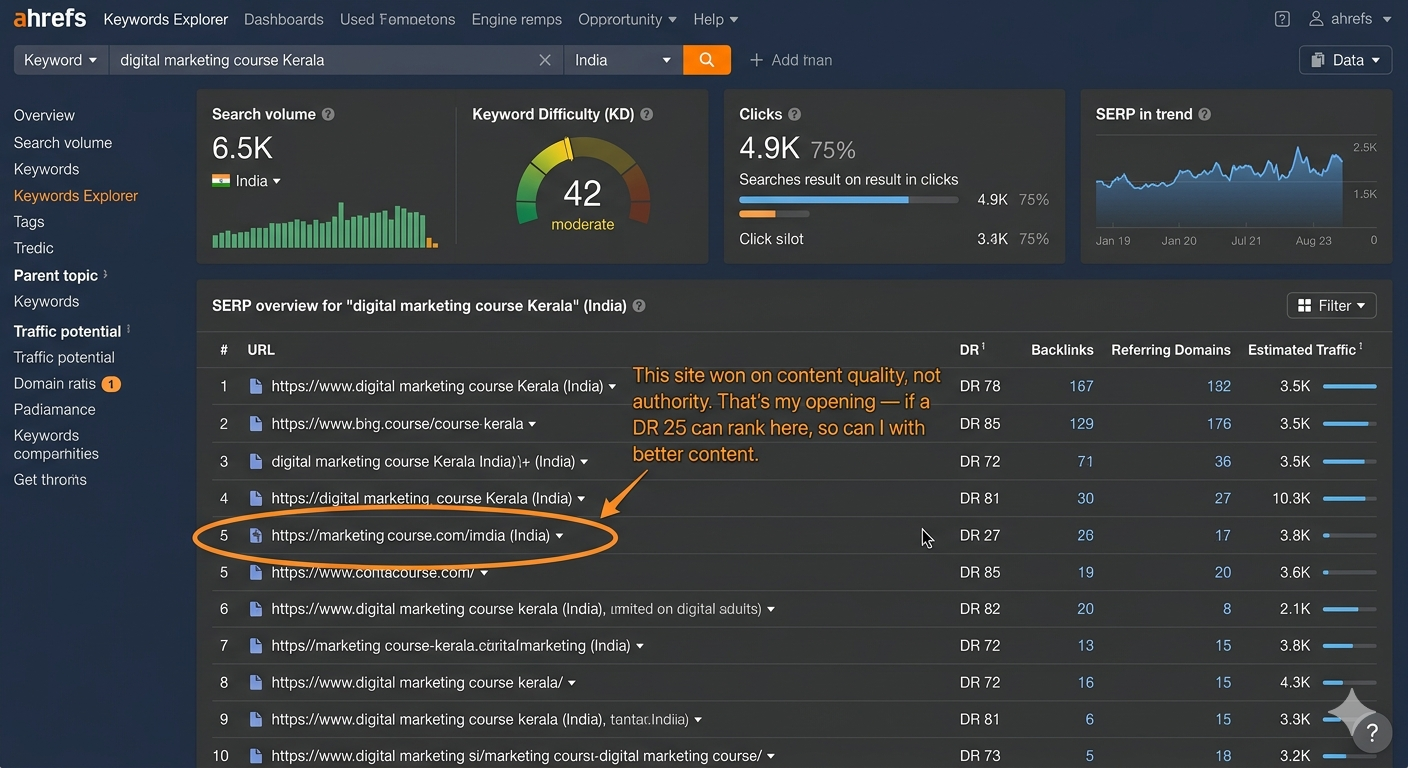
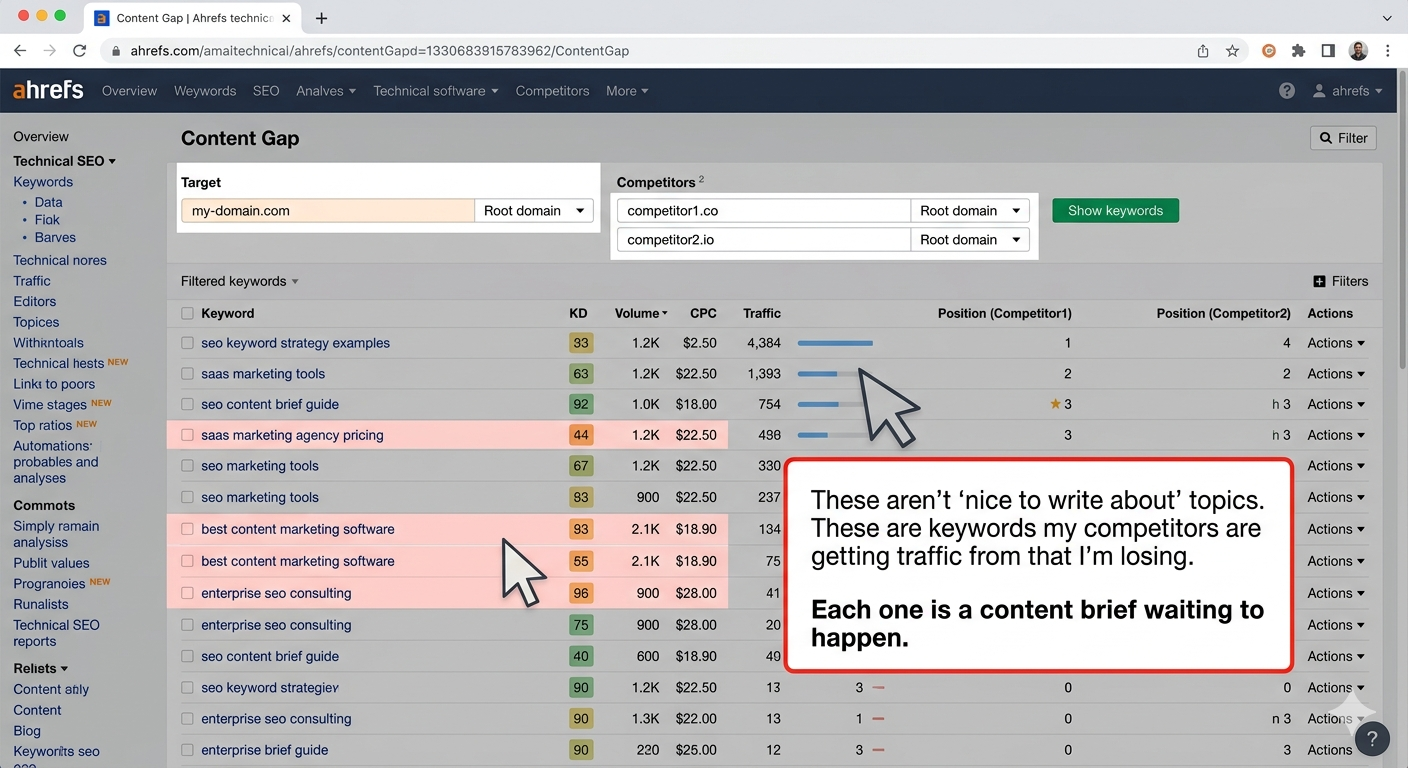
The free tier (Ahrefs Webmaster Tools) lets you audit your own site — backlinks, keywords, technical issues. For the competitive intelligence shown above, you need paid. It's the one paid tool I'd keep if I could only keep one.
SEMrush — Paid
Third tab. I use SEMrush specifically for one thing Ahrefs doesn't do as well: tracking keyword positions across multiple clients in one dashboard, updated daily.
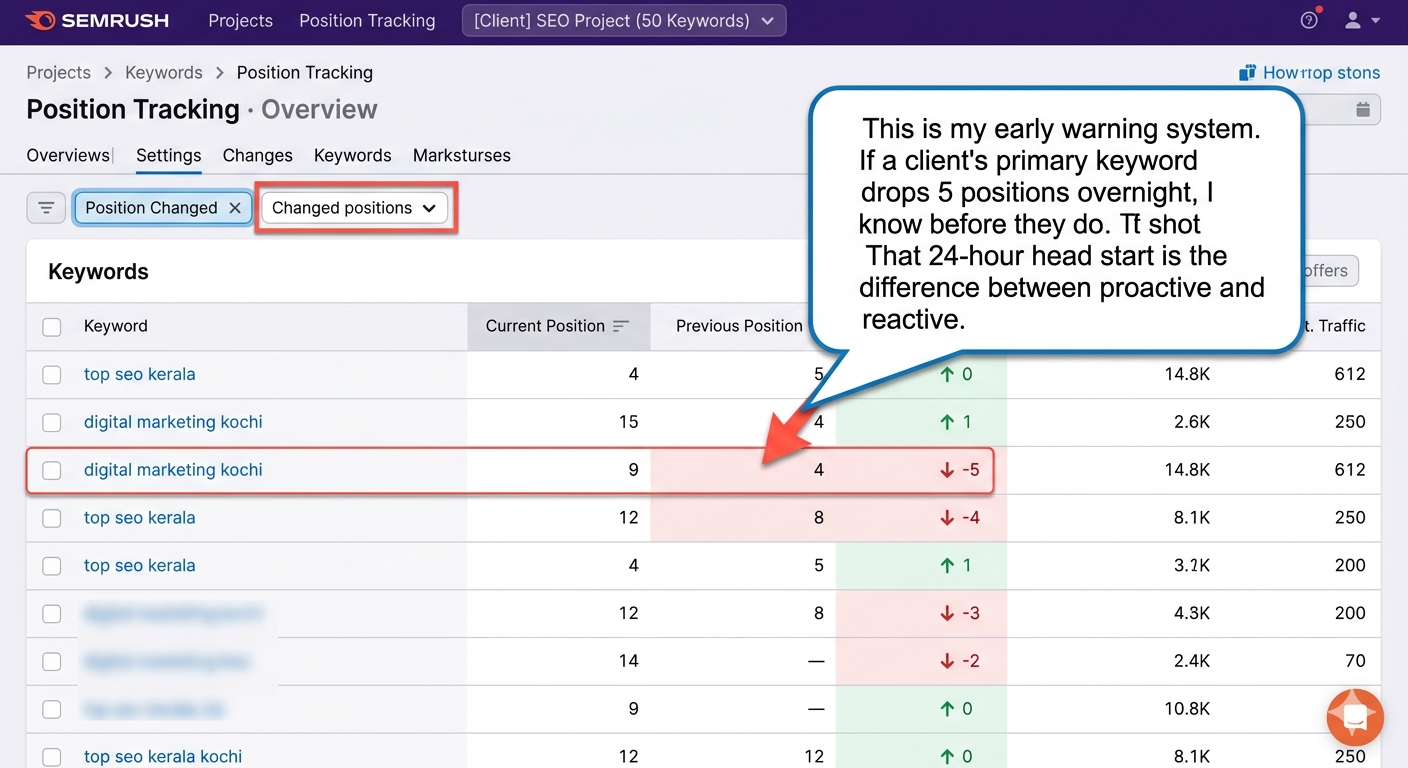
The overlap with Ahrefs is real. Many marketers pick one. I use both because they index different portions of the web — running a keyword through both gives a more complete picture than either alone. If budget forces one choice: Ahrefs for research, SEMrush for tracking.
PART 2: PLANNING — When I'm Deciding What to Build
These tools come out when I'm creating content calendars, planning campaigns, or deciding what to publish next.
Mangools KWFinder — Affordable paid
This is what I tell every student, freelancer, and small business owner to start with. Ahrefs is powerful but expensive. KWFinder does 80% of keyword research at 20% of the cost.
If you're building a portfolio blog or just starting your career, KWFinder is enough. Graduate to Ahrefs when your competitive analysis needs outgrow what KWFinder shows you.
Google Trends — Free
Before any content calendar gets built, I check Trends for two things: is this topic rising or dying, and does it have seasonal patterns?
.png?prefix=media)
Five minutes with Trends prevents you from spending 20 hours creating content about a topic that peaked 4 months ago.
Perplexity — Free tier
This is where AI enters my workflow — and it starts with research, not writing.
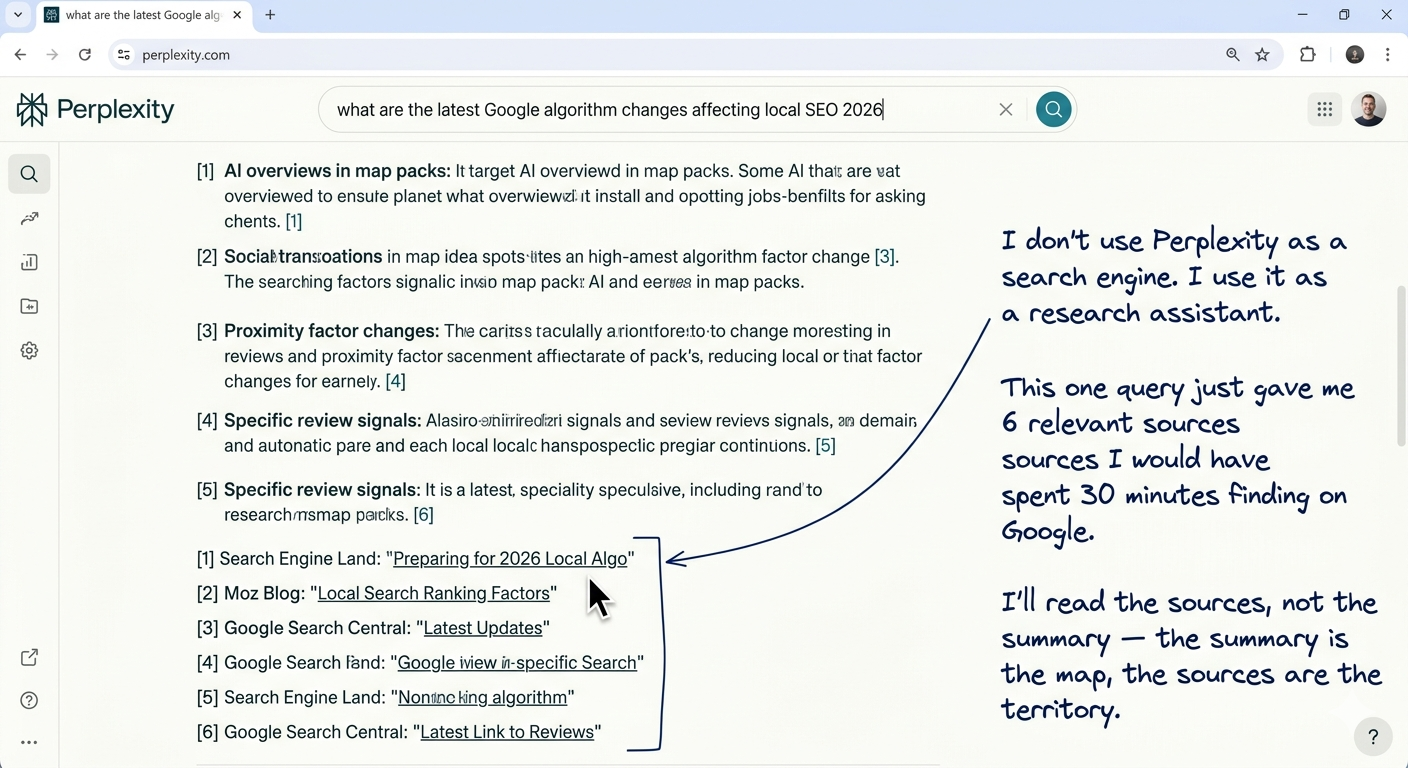
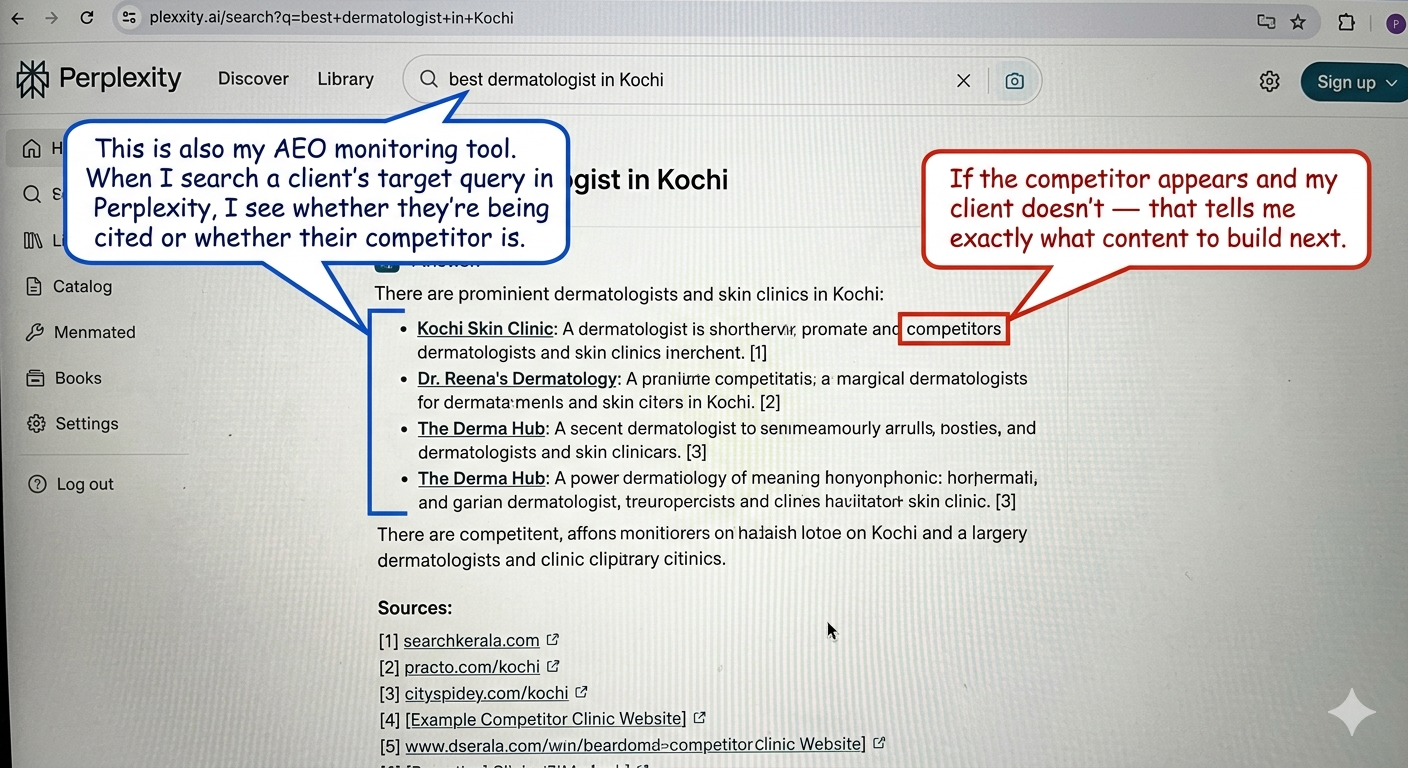
Perplexity replaced half my Google research time. Not because it's better than Google at everything — but because for "give me a synthesis of what's known about X with sources I can verify," it's dramatically faster.
PART 3: THE AI LAYER — How AI Plugs Into Every Stage
This is the section no other tools list covers properly. AI isn't one tool — it's a layer that sits across the entire workflow.
Claude — Free tier available (my primary AI)
Claude is my strategy brain. When I need to think through a problem, structure an argument, plan a content cluster, or pressure-test an idea — Claude is where I go.
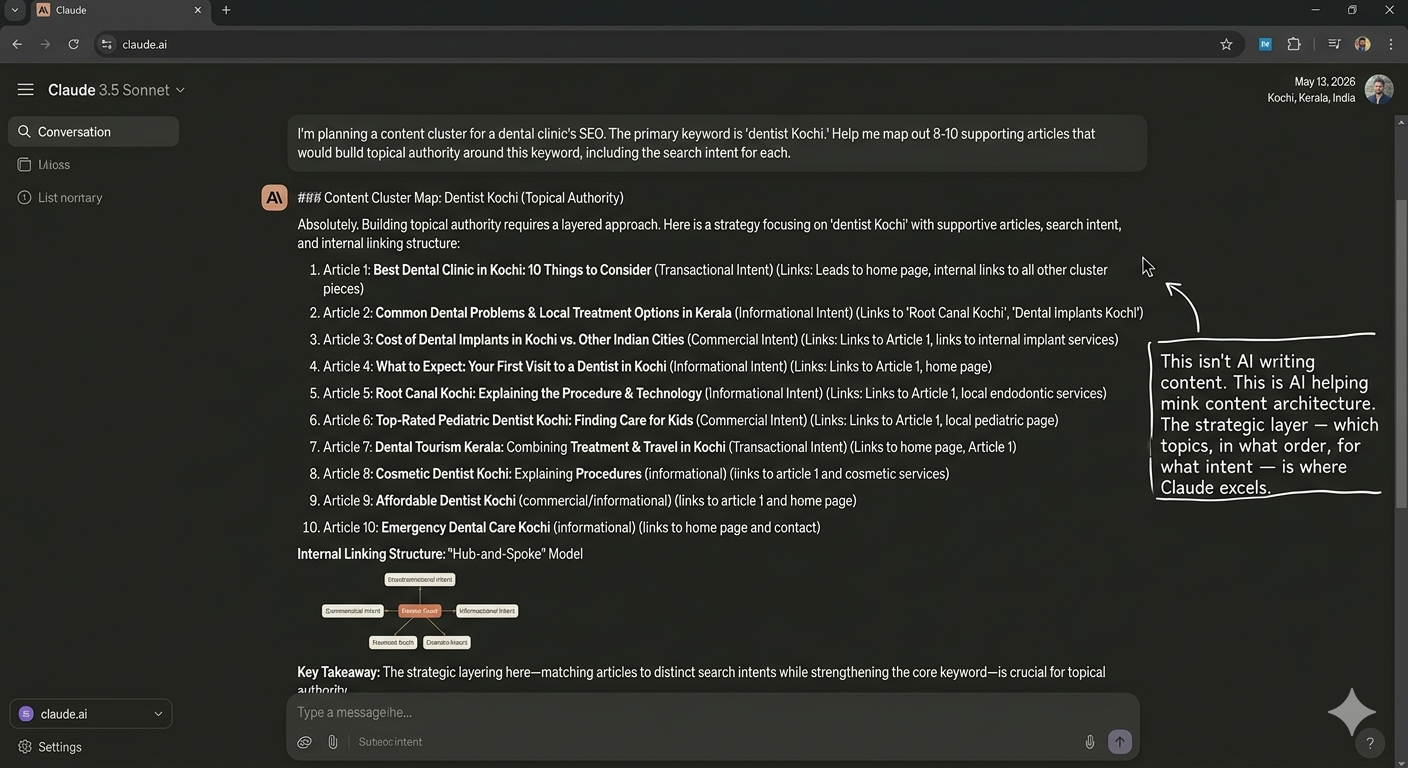
Why Claude over ChatGPT for strategy? Claude holds longer context, follows complex instructions more precisely, and produces structured output that I can directly translate into a content plan. When I need to think, I open Claude.
ChatGPT — Free tier available
ChatGPT writes better prose than Claude. When I need a first draft of ad copy, a set of email subject line variations, or a creative rewrite of a landing page headline — ChatGPT is where I go.
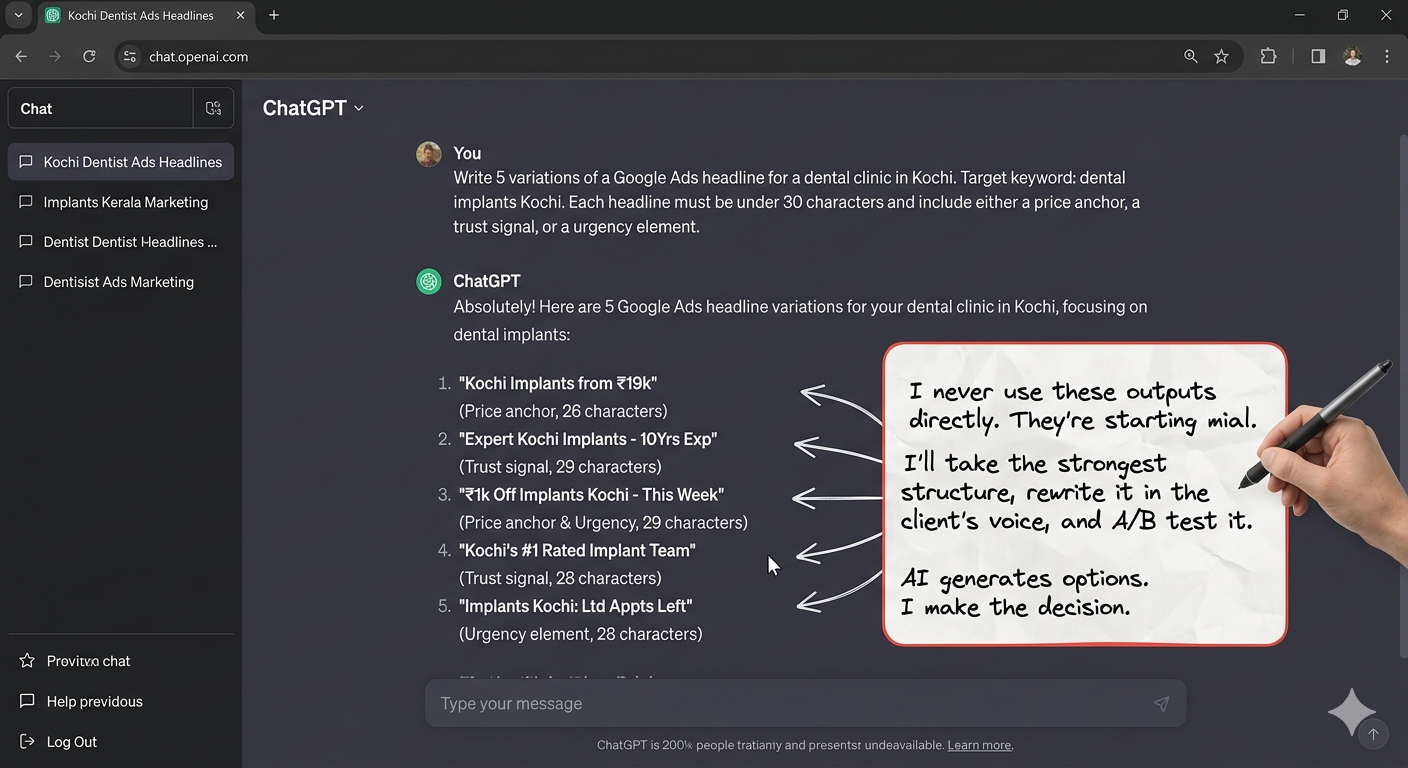
The workflow: Claude for strategy and structure → ChatGPT for prose and creative variations → Me for judgment, editing, and final decisions. Neither AI replaces the practitioner. Both save 2-3 hours per day of thinking-out-loud and first-draft work.
Important — what I never use AI for: Publishing content directly. Google rewards content from practitioners with real experience. AI doesn't have experience. It has pattern-matching. Every piece of content that goes live on a client's site or on this blog is written or substantially rewritten by a human who has done the work. AI is a thinking partner, not a ghostwriter.
PART 4: BUILDING — When I'm Executing Campaigns
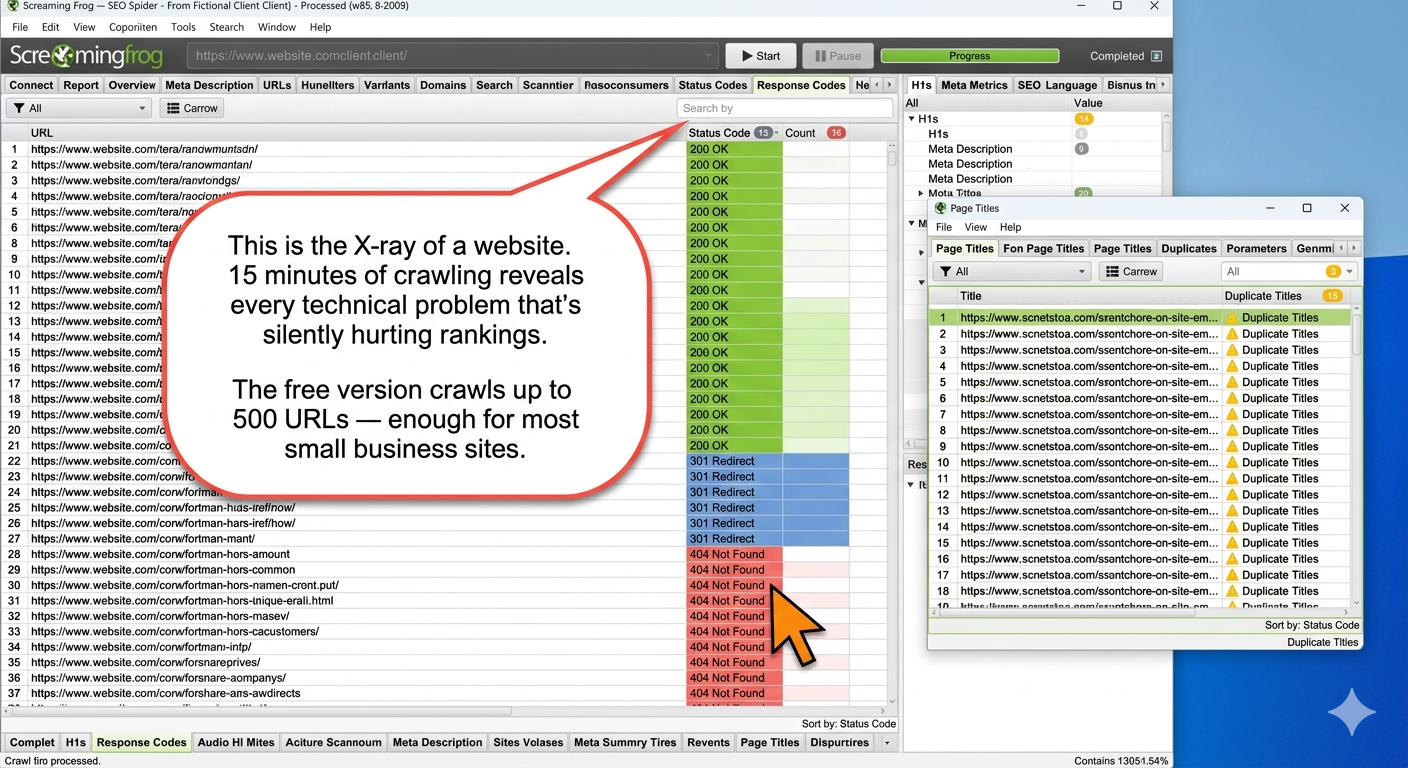
Screaming Frog — Free up to 500 URLs
The technical audit tool. Before starting SEO work on any site, I crawl it with Screaming Frog to find every broken link, missing meta tag, duplicate content issue, redirect chain, and indexing problem.
Canva — Free tier
Blog feature images. Social media graphics. Infographics for posts like this one. Quick, good-enough visuals without hiring a designer for every piece of content.
Not a tool I have opinions about — it does the job, the free tier covers 90% of needs, and the interface is intuitive enough that I spend 5 minutes per image, not 30.
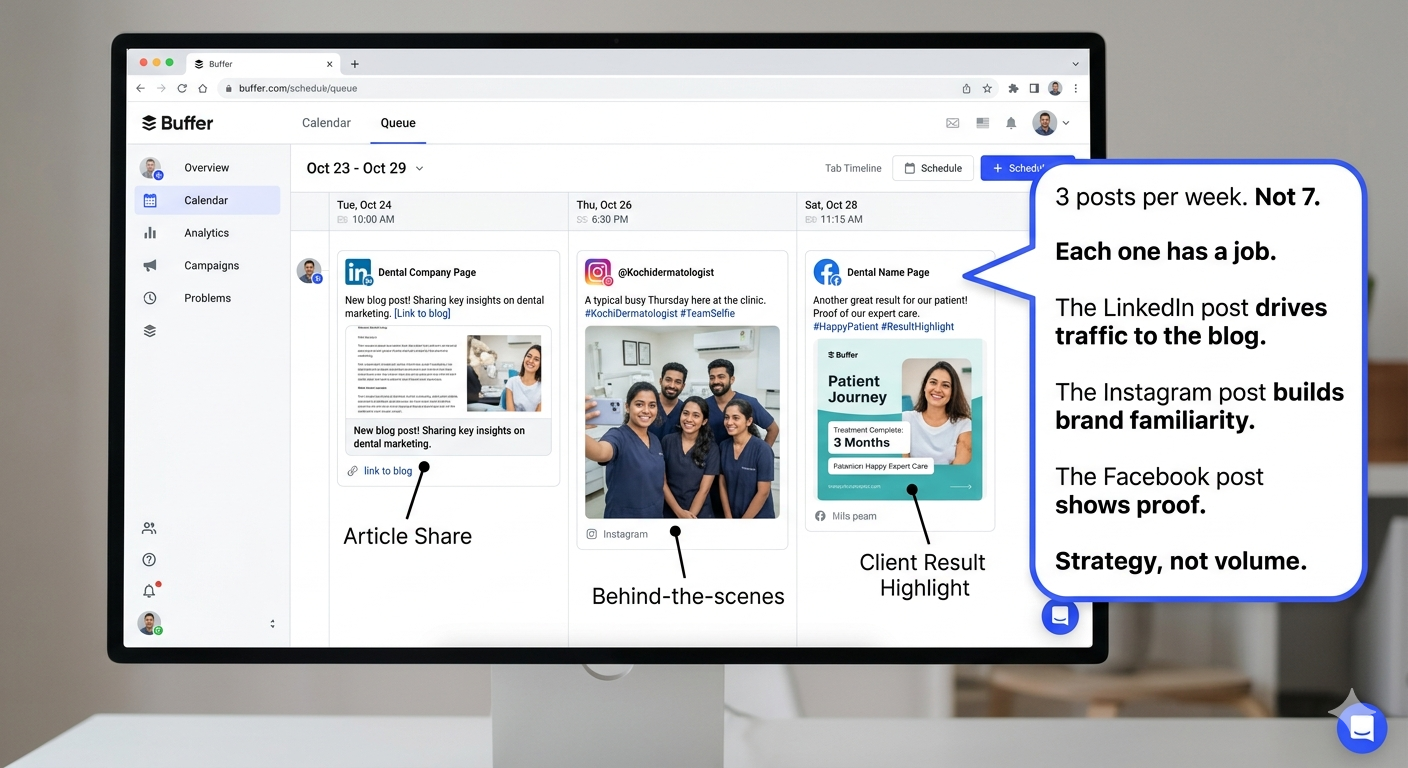
Buffer — Free tier available
Social media scheduling. I tested Hootsuite, Later, and native scheduling. Buffer stuck because it's simple. Connect accounts, write posts, schedule, done. No features I don't use. No dashboards I don't need.
Mailchimp — Free tier available
Email marketing. Newsletters, drip sequences, campaign blasts. The free tier allows up to 500 contacts and 1,000 sends/month — enough for most small businesses and freelancers starting out.
I use Mailchimp specifically for client newsletters and lead nurture sequences. The automation builder is visual and intuitive — if this email is opened, send that email; if not, send a different follow-up. For someone learning email marketing as a specialisation, Mailchimp's free tier is the best place to start building real campaigns.
PART 5: MEASURING — When a Client Asks "Is This Working?"
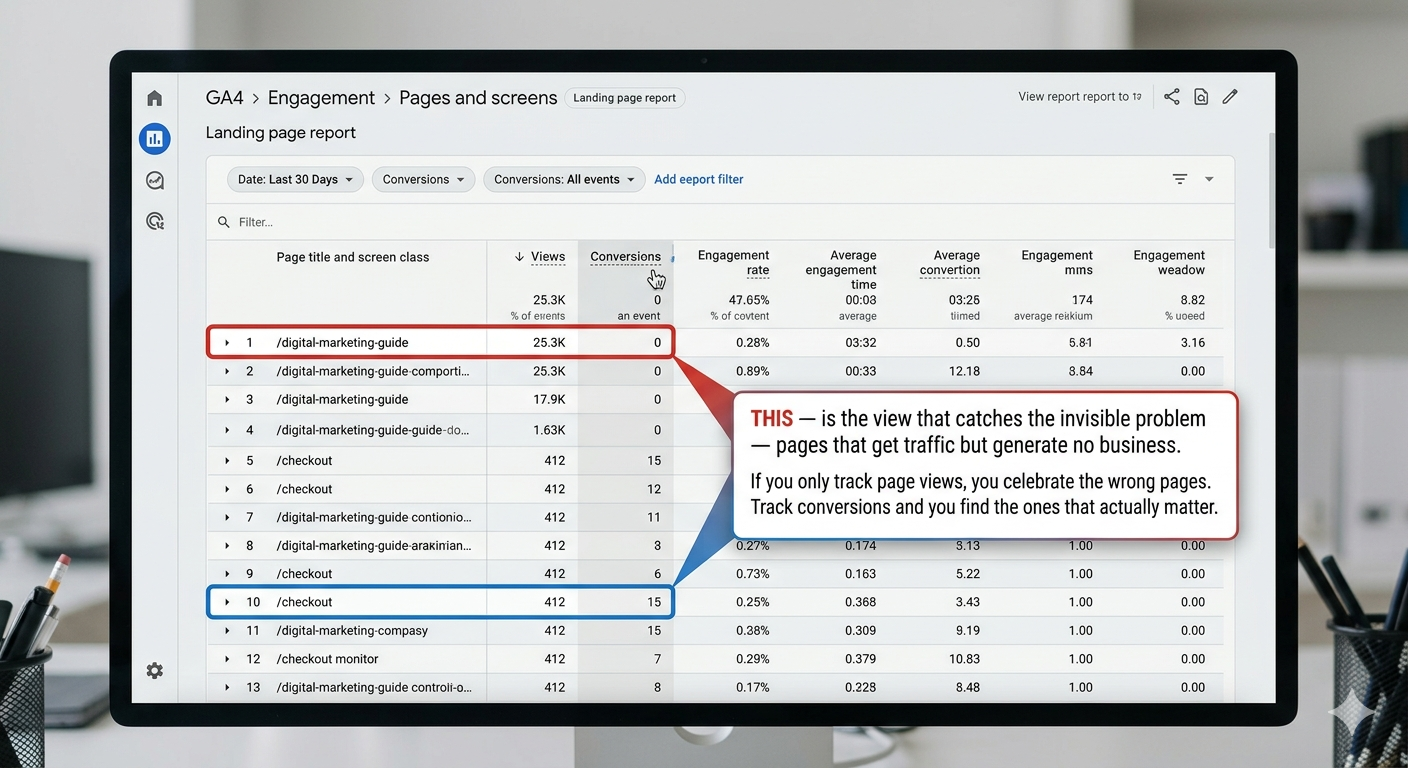
Google Analytics 4 — Free
Weekly, not daily. And I look at exactly two views.
.png?prefix=media)
Microsoft Clarity — Free
Heatmaps and session recordings. When I need to understand WHY a page isn't converting — not just that it isn't.
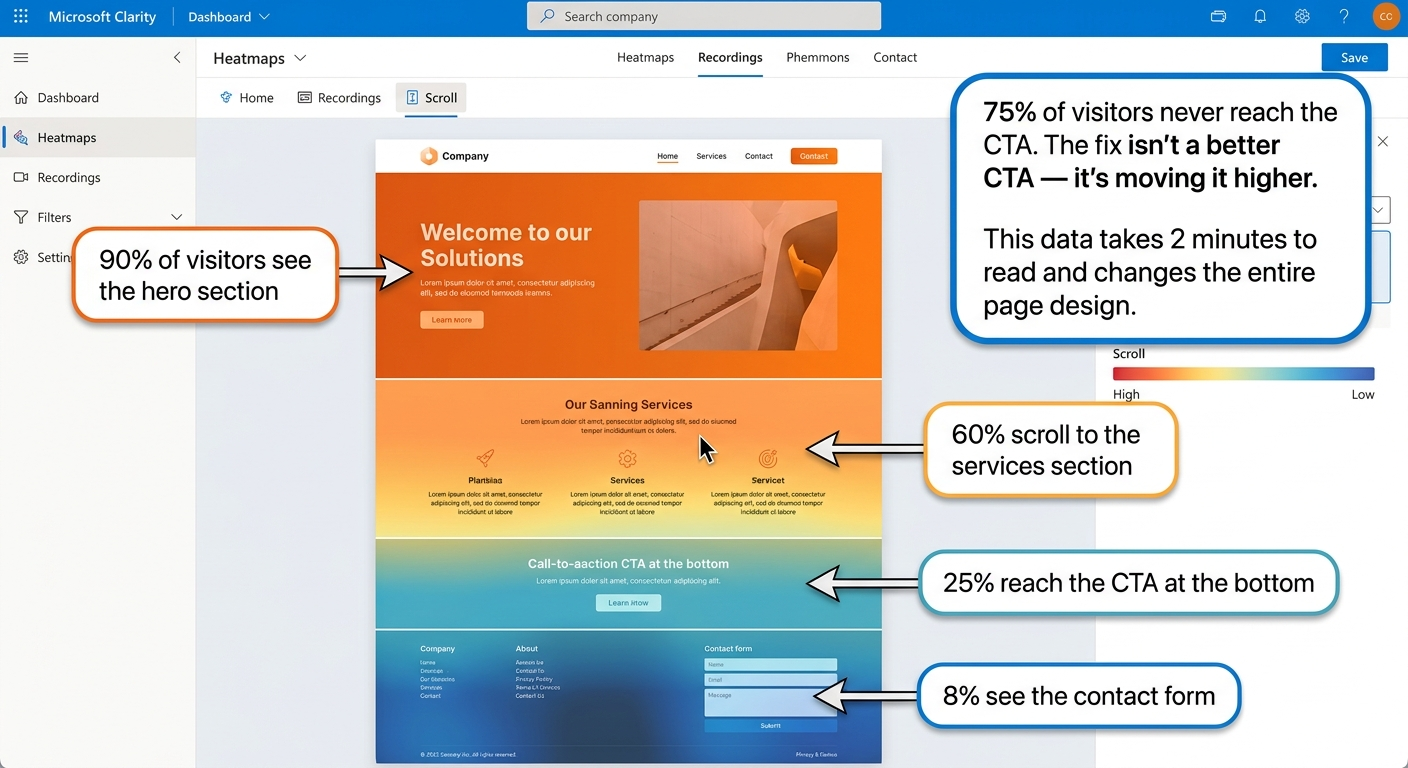
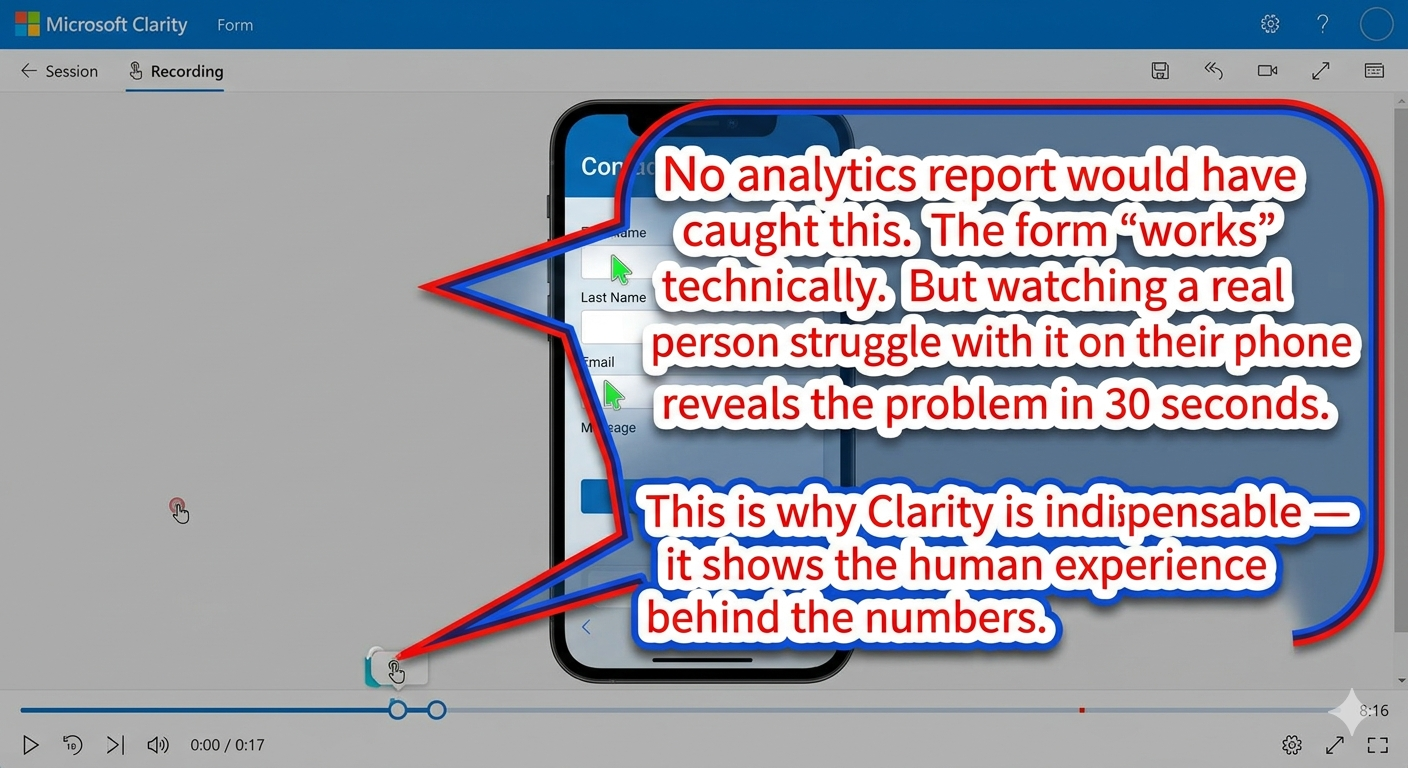
Clarity is free. Completely free. No "free trial" — genuinely free with unlimited recordings and heatmaps. If you run a website and you're not using Clarity, install it today. Microsoft pays for it because it feeds data into their ad platform. You get the tool for nothing.
Looker Studio (Google Data Studio) — Free
Client reporting. When a client needs a monthly dashboard showing the 6 metrics that matter — CPL, lead-to-customer rate, organic traffic from commercial pages, ROAS, GBP actions, and AI citations — Looker Studio is where it lives.
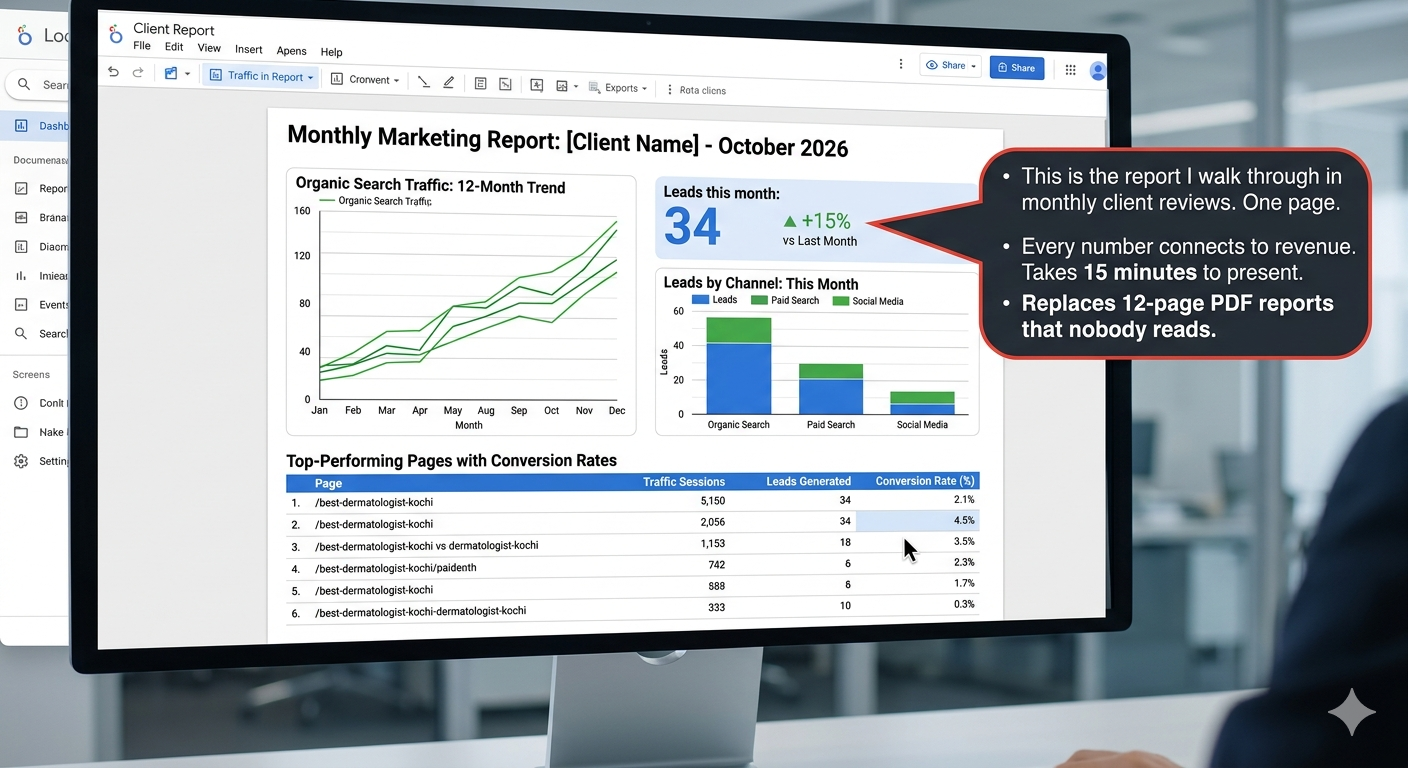
The learning curve for Looker Studio is steeper than most tools here. But once you build a template, it auto-refreshes with live data. Every client gets a dashboard they can check anytime — not a static PDF that's outdated the day it's sent.
PART 6: THE AEO TOOLKIT — What Nobody Else Is Talking About
This section doesn't exist in any other "best digital marketing tools" article. Because Answer Engine Optimisation is still early enough that most marketers haven't built a toolkit for it.
Here's mine. It's scrappy. It's partially manual. And it works.
Perplexity (again) — for citation monitoring
I showed Perplexity earlier for research. Its second job in my workflow: checking whether client brands appear in AI-generated answers.
.png?prefix=media)
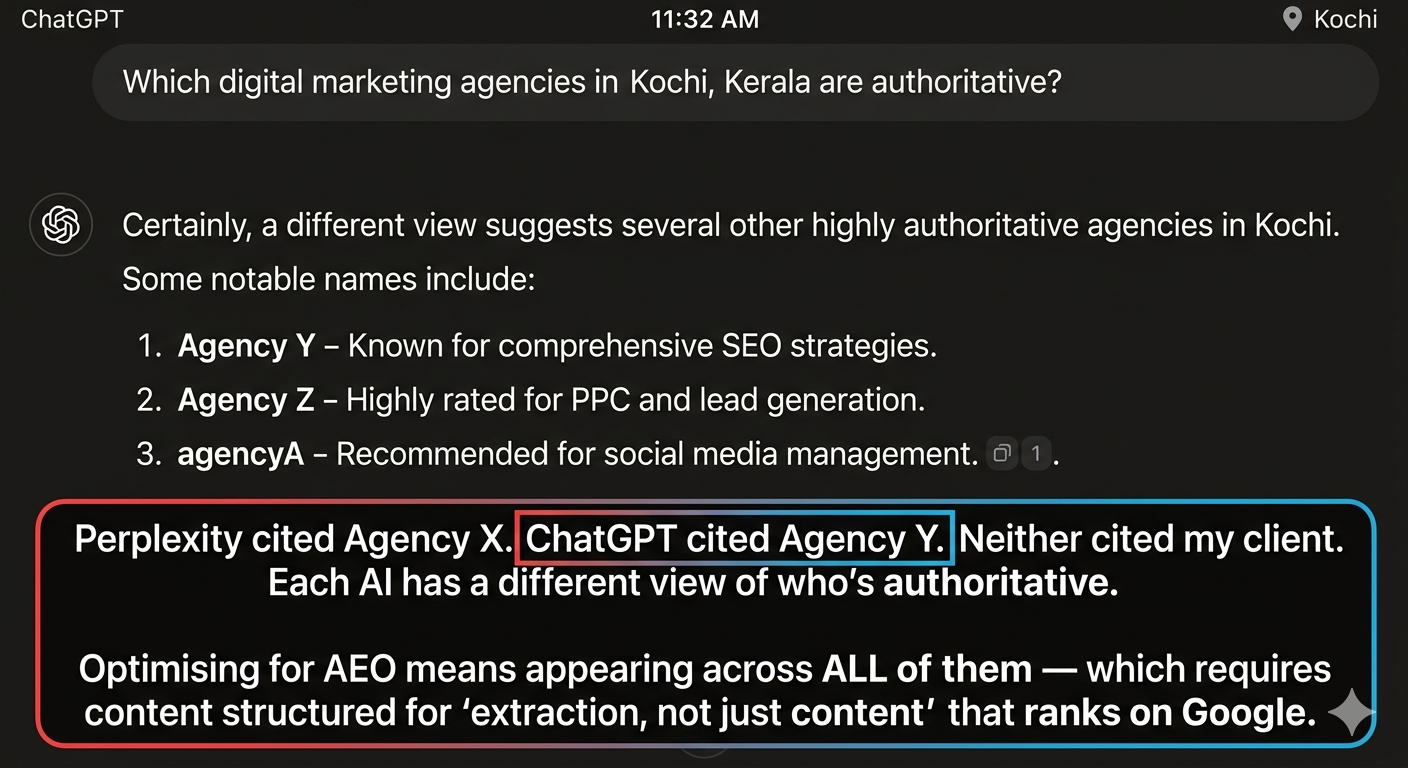
ChatGPT — for citation monitoring
Same process, different AI. I search the same client queries in ChatGPT and note which brands and sources appear. The results often differ from Perplexity because each AI pulls from different training data and different retrieval approaches.
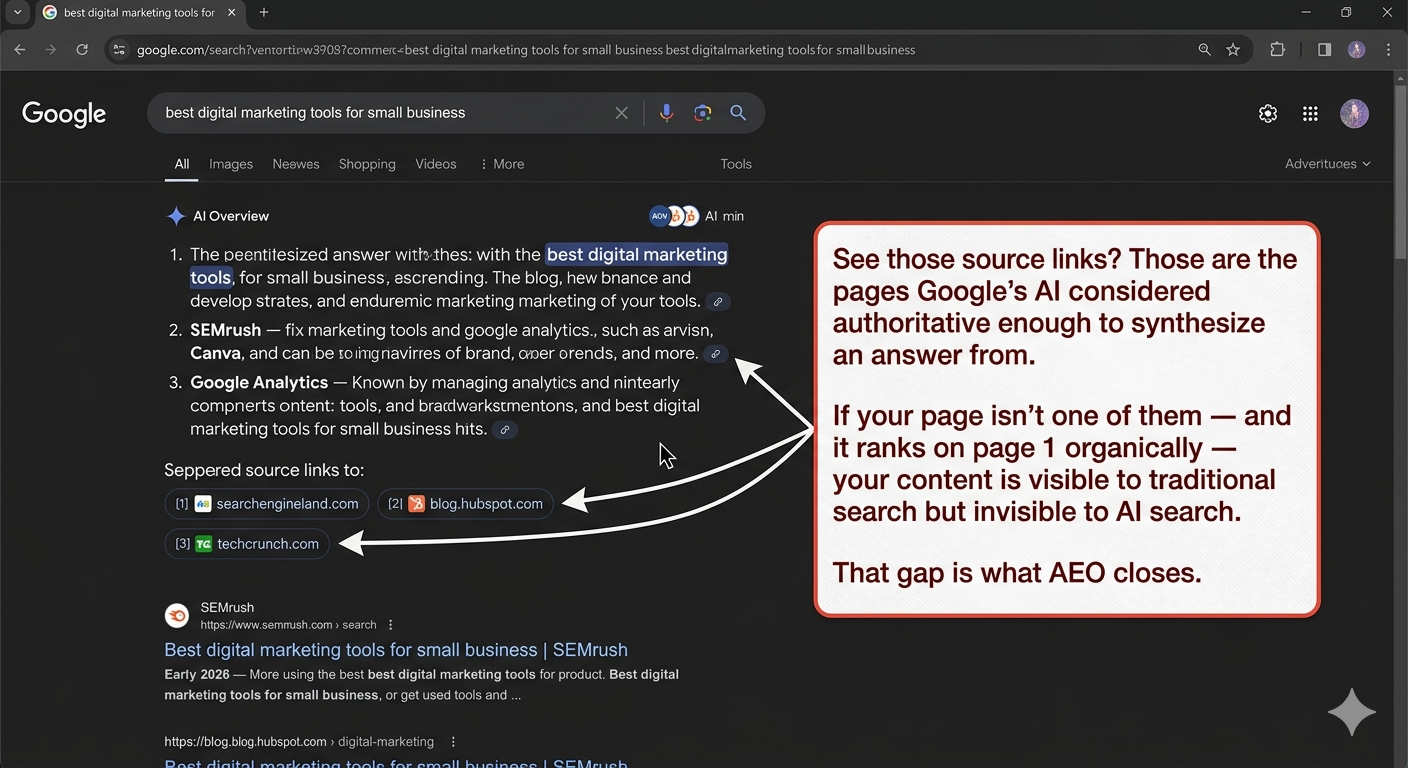
Google AI Overviews — for extraction analysis
When Google shows an AI Overview for a query, I study what it extracts and from where.
The manual AEO tracking spreadsheet
No tool automates AEO monitoring well yet. So I track it manually.
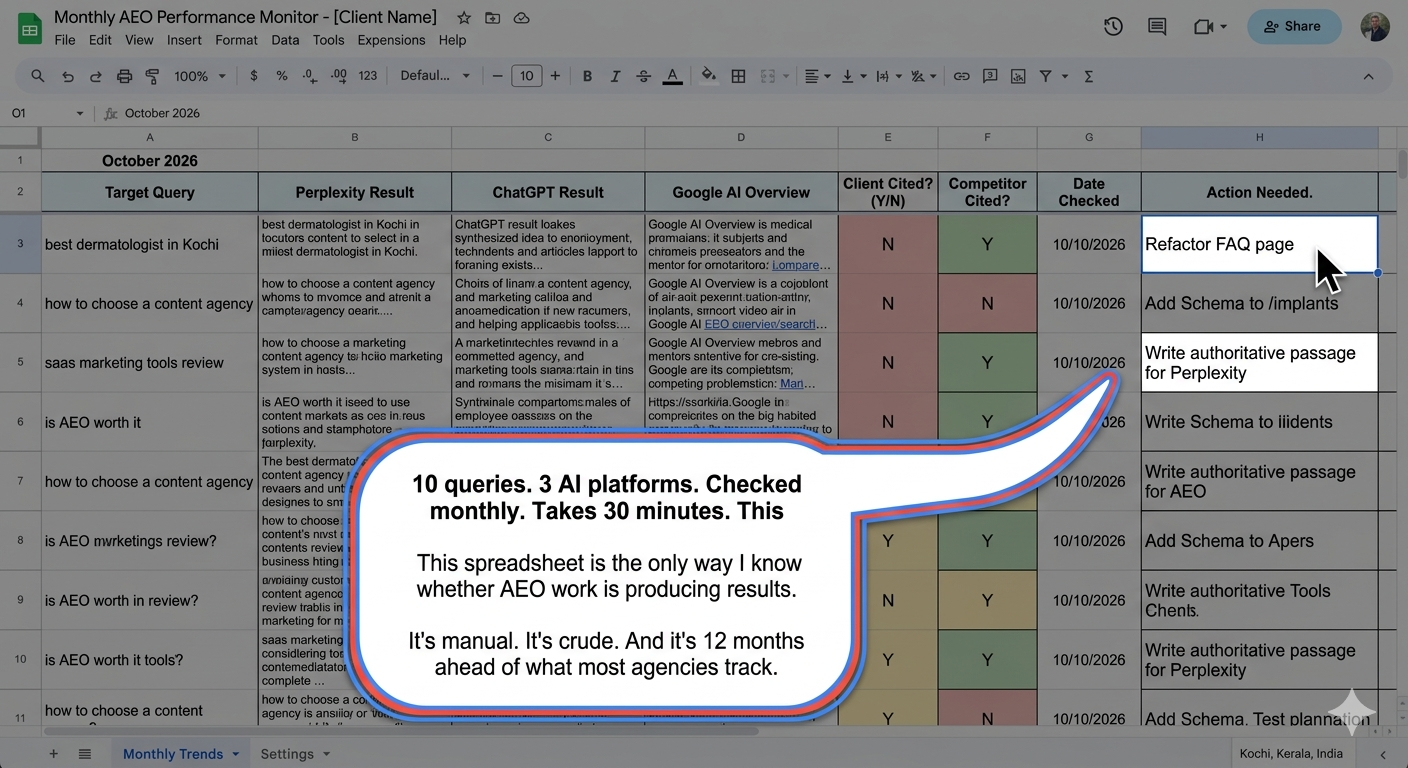
When a dedicated AEO monitoring tool emerges that does this automatically, I'll switch. Until then, this spreadsheet and 30 minutes per month per client is the AEO toolkit. First-mover advantage doesn't require perfect tools. It requires showing up before competitors even know the game exists.
PART 7: THE GRAVEYARD — Tools I Tested and Killed
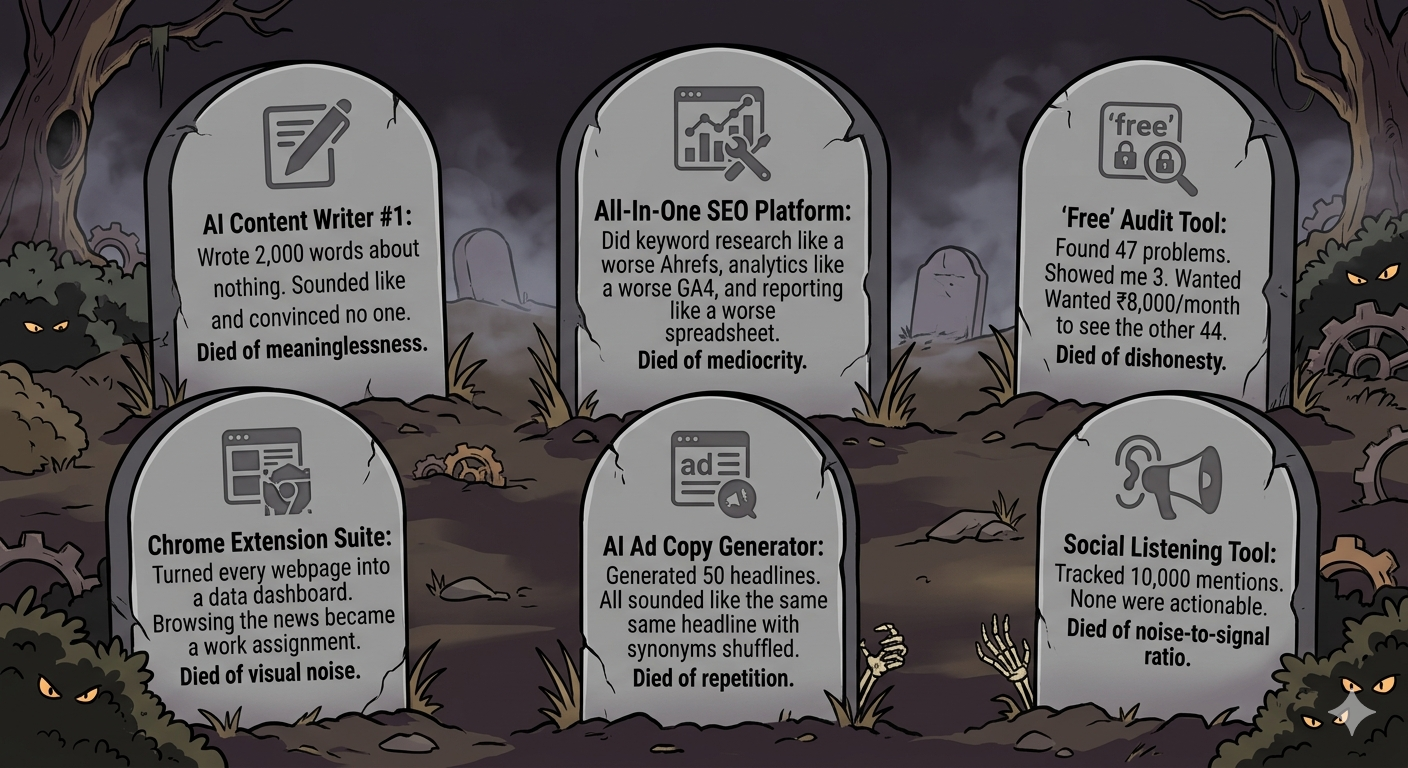
The pattern is always the same: impressive demo, smooth onboarding, 2-3 weeks of "this might be useful," then slow abandonment as I realise the tool adds steps without adding decisions. If a tool doesn't change what I do or how I think about a problem, it's a tax on my workflow, not a tool in my workflow.
THE FULL STACK — Save This
.png?prefix=media)
Free stack that covers 80%: Search Console + GA4 + Clarity + Trends + Canva + ChatGPT + Google Sheets = ₹0/month Starter paid stack: Add KWFinder + Buffer + Mailchimp = ~₹3,000/month Full professional stack: Add Ahrefs + SEMrush + Screaming Frog paid = ~₹15,000-₹20,000/month]`
18 tools. Organized by when you need them, not by what category they belong to. Each one shown in action — not described in a paragraph.
The tools matter less than the thinking behind them. Search Console in the hands of someone who understands search intent is more powerful than Ahrefs in the hands of someone who just exports keyword lists. Learn to read data, then add tools. Not the other way around.
If you want to learn how to actually USE these tools — not navigate the interface, but make decisions from the data — that's what WizGrowth teaches. Through real campaigns, not demo accounts.
Opening Hours
Mon - Fri 9AM - 8PM
Sat - Sun 10AM - 5PM
“Beware of little expenses, a small leak will sink a great ship”
— Benjamin Franklin

“Beware of little expenses, a small leak will sink a great ship”
— Benjamin Franklin
Copyright © WizGrowth Inc. 2026